Stop hunting for what you copied.
One Ctrl+Alt+V opens your clipboard history, your saved snippets and a one-click text cleaner. Type to filter, Enter to paste back where you were. Runs entirely on your PC — no account, no cloud, no tracking.

Three things Windows still does not do
The built-in Win+V holds a couple of dozen items, empties on restart, cannot search days back, and cannot store a sentence as a template. ClipPhrase fills exactly those three gaps.
Search — not just scroll
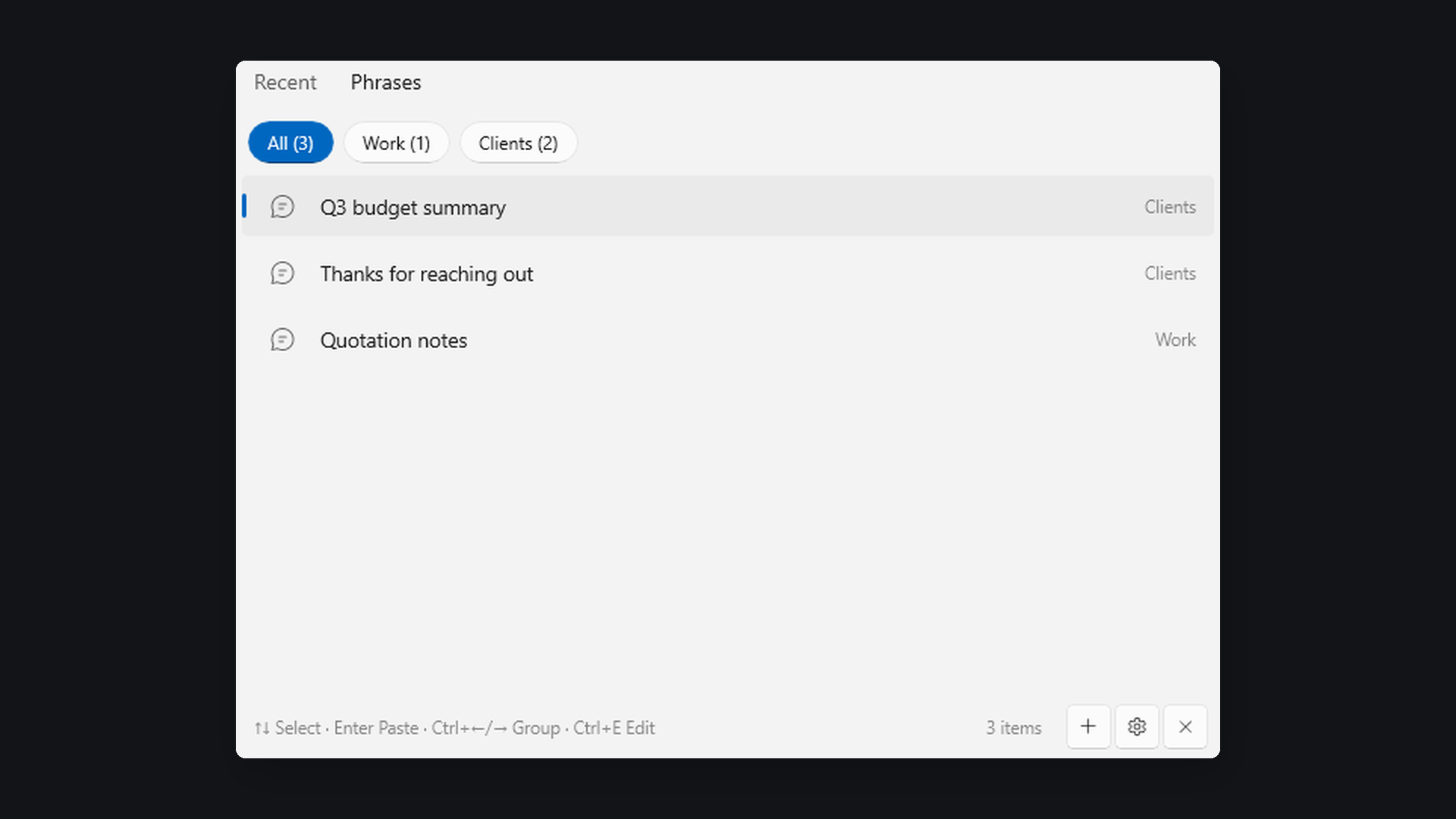
Filter as you type across text, images, links and code. That stack trace you copied three days ago shows up after two letters.
Store — snippets that persist
Canned replies, addresses, email templates, code fragments. Group them, and bind any one to Ctrl+Alt+1–0 for instant insert anywhere.
Fix — clean the mess
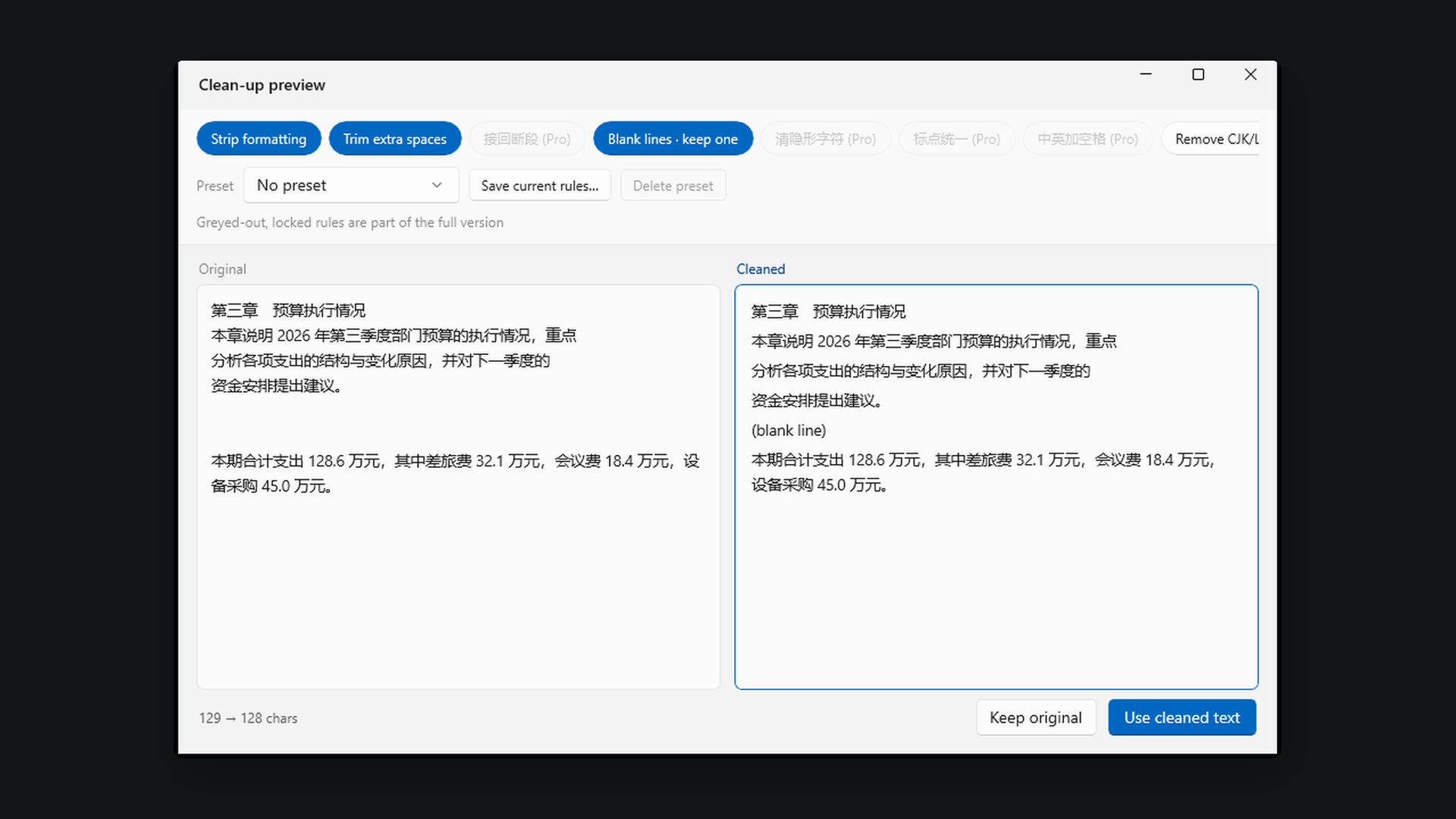
Text from web pages arrives with broken lines, stray blank lines and zero-width characters. Nine rules fix it, with a block-by-block preview before anything is overwritten.
The text cleaner, in detail
Copy from Wikipedia, an email or an AI chat window, press Ctrl+T, and combine any of these:
- Strip formatting — fonts, colours, sizes, hyperlinks
- Collapse extra whitespace, trim line edges
- Re-join paragraphs broken by hard line breaks
- Remove blank lines, all or down to one
- Strip invisible characters — zero-width spaces, soft hyphens, stray BOMs
- Change case — UPPER / lower / Sentence / Title
- Normalise punctuation, full-width and half-width
- Add or remove spaces between CJK and Latin text
- Strip citation markers like [1][2][3] from papers and Wikipedia
- Revert any single block — or everything — in one click
Free vs. full version
The free version is usable indefinitely — it is not a seven-day trial.
| Feature | Free | Full (one-time purchase) |
|---|---|---|
| Recent copies kept | 30 text entries, 10 images | Unlimited, with your own retention cap |
| Saved snippets | 10 | Unlimited, all group features |
| Global snippet hotkeys | — | Ctrl+Alt+1–0, ten slots |
| Placeholders | — | {date} {time} {datetime} {clip} {cursor} |
| Text cleaning rules | 4 of 9 | All 9 |
| Image OCR and QR reading | — | Included, processed locally |
| Export all data | Free forever | Free forever |
| Themes, retention, search, autostart | Included | Included |
Payment is handled by the Microsoft Store. Buy once, keep it — no subscription, no annual fee. Restore your purchase on any device signed in with the same account.
Where your data lives
In a local folder on your own PC. There is no server, nothing is uploaded, and no analytics run. The developer cannot see your clipboard, your snippets or your history. Uninstalling removes the data folder.
Content that password managers flag as excluded from clipboard monitoring (KeePass and similar) is skipped automatically and never recorded.
Requirements
- Windows 10 version 1809 or later, or Windows 11 · x64
- No separate .NET or runtime installation — everything is bundled
- Installed through the Microsoft Store, updated like any other app
- Works entirely offline, indefinitely
Questions people actually ask
Can it paste into an app running as administrator?
It can place content on the clipboard, but Windows security (UIPI) prevents any non-elevated app from sending the paste keystroke. Press Ctrl+Enter to copy, then Ctrl+V yourself. Normal programs are unaffected.
How do I move to a new PC?
Settings → Export all data, then import the file on the new machine. This is free and always will be.
Is there an ARM build?
The current build targets x64 and runs on Windows on ARM through emulation. A native ARM64 build is planned.
Why is the feature list so short?
Because features follow what gets used daily rather than a checklist. Nothing is added just to fill an interface — a shorter list is easier to remember.